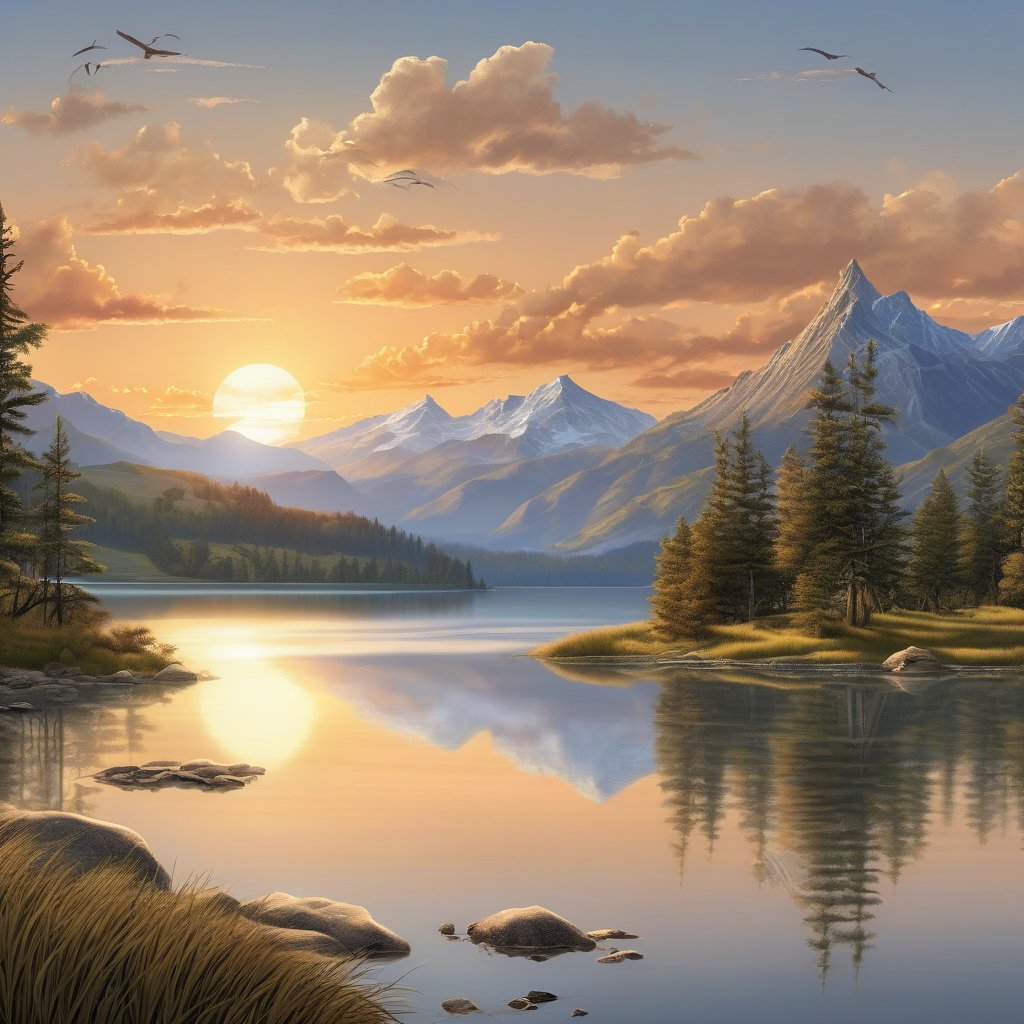
This tutorial shows you how to build an image generation script using Flash and Stable Diffusion XL (SDXL). You’ll learn how to load a pretrained diffusion model on a GPU worker and generate images from text prompts.
What you’ll learn
In this tutorial you’ll learn how to:
Use the Hugging Face diffusers library with Flash.
Load and run Stable Diffusion XL models on GPU workers.
Generate high-quality images from text prompts.
Save generated images to disk.
Configure generation parameters like guidance scale and steps.
Requirements
What you’ll build
By the end of this tutorial, you’ll have a working image generation application that:
Accepts text prompts as input.
Generates photorealistic images using Stable Diffusion XL.
Runs entirely on Runpod’s GPU infrastructure.
Saves generated images to your local machine.
Step 1: Set up your project
Create a new directory for your project and set up a Python virtual environment:
mkdir flash-image-generation
cd flash-image-generation
Install Flash using uv :
uv venv
source .venv/bin/activate
uv pip install runpod-flash python-dotenv
Create a .env file with your Runpod API key:
touch .env && echo "RUNPOD_API_KEY=YOUR_API_KEY" > .env
Replace YOUR_API_KEY with your actual API key from the Runpod console .
Step 2: Understand Stable Diffusion XL
Stable Diffusion XL (SDXL) is a state-of-the-art text-to-image model from Stability AI. It offers:
High-quality images : Generates photorealistic 1024x1024 images
Better prompt understanding : Improved text comprehension compared to SD 1.5
Fine details : Enhanced rendering of hands, faces, and text
Open source : Available for free on Hugging Face
SDXL requires significant GPU resources:
Model size : ~7GB of weights
VRAM requirement : Minimum 16GB (24GB recommended)
Generation time : 20-40 seconds per image on RTX 4090
We’ll use the diffusers library from Hugging Face, which provides a clean Python API for Stable Diffusion models.
Step 3: Create your project file
Create a new file called image_generation.py:
touch image_generation.py
Open this file in your code editor. The following steps walk through building the image generation application.
Step 4: Add imports and configuration
Add the necessary imports and Flash configuration:
import asyncio
import base64
from pathlib import Path
from dotenv import load_dotenv
from runpod_flash import Endpoint, GpuGroup
# Load environment variables from .env file
load_dotenv()
Step 5: Define the image generation function
Add the endpoint function that will run on the GPU worker:
@Endpoint (
name = "image-generation" ,
gpu = [GpuGroup. ADA_24 , GpuGroup. AMPERE_24 ], # 24GB GPUs
workers = 2 ,
idle_timeout = 900 , # Keep workers active for 15 minutes
dependencies = [ "diffusers" , "torch" , "transformers" , "accelerate" ]
)
def generate_image (prompt, negative_prompt = "" , num_steps = 30 , guidance_scale = 7.5 ):
"""Generate an image using Stable Diffusion XL."""
import torch
from diffusers import StableDiffusionXLPipeline
import base64
from io import BytesIO
# Load the SDXL model
model_id = "stabilityai/stable-diffusion-xl-base-1.0"
pipe = StableDiffusionXLPipeline.from_pretrained(
model_id,
torch_dtype = torch.float16,
use_safetensors = True ,
variant = "fp16"
)
# Move model to GPU
device = "cuda" if torch.cuda.is_available() else "cpu"
pipe = pipe.to(device)
# Generate image
image = pipe(
prompt = prompt,
negative_prompt = negative_prompt,
num_inference_steps = num_steps,
guidance_scale = guidance_scale,
height = 1024 ,
width = 1024
).images[ 0 ]
# Convert image to base64 for transmission
buffered = BytesIO()
image.save(buffered, format = "PNG" )
img_str = base64.b64encode(buffered.getvalue()).decode()
return {
"image_base64" : img_str,
"prompt" : prompt,
"negative_prompt" : negative_prompt,
"num_steps" : num_steps,
"guidance_scale" : guidance_scale,
"device" : device,
"resolution" : "1024x1024"
}
Configuration breakdown :
name="image-generation" : Identifies your endpoint in the Runpod console.
gpu=[GpuGroup.ADA_24, GpuGroup.AMPERE_24] : Uses RTX 4090 or L4/A5000 GPUs (both have 24GB VRAM, sufficient for SDXL).
workers=2 : Allows up to 2 parallel workers.
idle_timeout=900 : Keeps workers active for 15 minutes (SDXL models are large, so we want longer caching).
SDXL requires at least 16GB VRAM. Using 24GB GPUs provides comfortable headroom and faster generation.
This function:
Loads the SDXL model from Hugging Face.
Moves the model to the GPU.
Generates an image from the prompt.
Encodes the image as base64.
Returns the image as a base64 string (and other metadata).
Expand this section for a full breakdown:
Dependencies : The function requires four packages:
diffusers: Hugging Face library for diffusion models
torch: PyTorch for GPU computation
transformers: Text encoder dependencies
accelerate: Efficient model loading
Model loading :pipe = StableDiffusionXLPipeline.from_pretrained(
model_id,
torch_dtype = torch.float16,
use_safetensors = True ,
variant = "fp16"
)
This downloads SDXL from Hugging Face. Key parameters:
torch_dtype=torch.float16: Use half-precision (saves VRAM, faster)
use_safetensors=True: Use safe tensor format
variant="fp16": Download the fp16 version (~7GB instead of ~14GB)
GPU acceleration :Moves the entire pipeline (text encoder, UNet, VAE) to GPU. Image generation :image = pipe(
prompt = prompt,
negative_prompt = negative_prompt,
num_inference_steps = num_steps,
guidance_scale = guidance_scale,
height = 1024 ,
width = 1024
).images[ 0 ]
Parameters:
prompt : What you want to see in the image
negative_prompt : What you don’t want (e.g., “blurry, low quality”)
num_inference_steps : More steps = better quality but slower (20-50 typical)
guidance_scale : How closely to follow the prompt (7-10 recommended)
height/width : SDXL is trained for 1024x1024
Image encoding :buffered = BytesIO()
image.save(buffered, format = "PNG" )
img_str = base64.b64encode(buffered.getvalue()).decode()
We encode the image as base64 to return it through Flash. This allows us to transmit the image data as a string.
Step 6: Add the main function and image saving
Create functions to call the generator and save images:
def save_image (base64_string, filename):
"""Save a base64-encoded image to disk."""
import base64
from PIL import Image
from io import BytesIO
# Decode base64 string
img_data = base64.b64decode(base64_string)
# Open and save image
image = Image.open(BytesIO(img_data))
image.save(filename)
print ( f "✓ Image saved to { filename } " )
async def main ():
print ( "Generating image with Stable Diffusion XL on Runpod GPU..." )
print ( "This may take 1-2 minutes on first run (downloading model)... \n " )
# Define your prompt
prompt = "A serene landscape with mountains, a lake, and sunset, highly detailed, photorealistic"
negative_prompt = "blurry, low quality, distorted, ugly"
# Generate image
result = await generate_image(
prompt = prompt,
negative_prompt = negative_prompt,
num_steps = 30 ,
guidance_scale = 7.5
)
# Save the generated image
output_dir = Path( "generated_images" )
output_dir.mkdir( exist_ok = True )
filename = output_dir / "sdxl_output.png"
save_image(result[ "image_base64" ], filename)
# Display metadata
print ( f " \n{ '=' * 60} " )
print ( "GENERATION DETAILS" )
print ( '=' * 60 )
print ( f "Prompt: { result[ 'prompt' ] } " )
print ( f "Negative prompt: { result[ 'negative_prompt' ] } " )
print ( f "Steps: { result[ 'num_steps' ] } " )
print ( f "Guidance scale: { result[ 'guidance_scale' ] } " )
print ( f "Resolution: { result[ 'resolution' ] } " )
print ( f "Device: { result[ 'device' ] } " )
print ( '=' * 60 )
if __name__ == "__main__" :
asyncio.run(main())
This main function:
Calls the remote function with await.
Creates a generated_images directory if it doesn’t exist.
Decodes and saves the base64 image to disk.
Displays generation metadata.
Step 7: Run your first generation
Run the application:
python image_generation.py
First run output (takes 2-3 minutes):
Generating image with Stable Diffusion XL on Runpod GPU...
This may take 1-2 minutes on first run (downloading model)...
Creating endpoint: server_Endpoint_a1b2c3d4
Provisioning Serverless endpoint...
Endpoint ready
Executing function on RunPod endpoint ID: xvf32dan8rcilp
Initial job status: IN_QUEUE
Downloading model weights from Hugging Face...
Model loaded, generating image...
Job completed, output received
✓ Image saved to generated_images/sdxl_output.png
============================================================
GENERATION DETAILS
============================================================
Prompt: A serene landscape with mountains, a lake, and sunset, highly detailed, photorealistic
Negative prompt: blurry, low quality, distorted, ugly
Steps: 30
Guidance scale: 7.5
Resolution: 1024x1024
Device: cuda
============================================================
Subsequent runs (takes 30-40 seconds):
Generating image with Stable Diffusion XL on Runpod GPU...
Resource Endpoint_a1b2c3d4 already exists, reusing.
Executing function on RunPod endpoint ID: xvf32dan8rcilp
Initial job status: IN_QUEUE
Job completed, output received
✓ Image saved to generated_images/sdxl_output.png
[Results appear]
Open generated_images/sdxl_output.png to see your generated image!
The first run downloads ~7GB of model weights, which takes 1-2 minutes. Subsequent runs reuse the cached model and complete in 30-40 seconds.
Step 8: Experiment with different prompts
Try various prompts to see SDXL’s capabilities:
async def main ():
# Create output directory
output_dir = Path( "generated_images" )
output_dir.mkdir( exist_ok = True )
# Try different prompts
prompts = [
{
"prompt" : "A cyberpunk city at night with neon lights, flying cars, rain, cinematic" ,
"negative" : "blurry, low quality" ,
"filename" : "cyberpunk_city.png"
},
{
"prompt" : "A cute corgi puppy wearing a space suit, floating in space, highly detailed" ,
"negative" : "distorted, ugly, bad anatomy" ,
"filename" : "space_corgi.png"
},
{
"prompt" : "An ancient wizard's study filled with books, potions, magical artifacts, candlelight" ,
"negative" : "blurry, modern, plastic" ,
"filename" : "wizard_study.png"
}
]
for i, p in enumerate (prompts, 1 ):
print ( f " \n{ '=' * 60} " )
print ( f "Generating image { i } / {len (prompts) } " )
print ( f "Prompt: { p[ 'prompt' ][: 50 ] } ..." )
print ( '=' * 60 )
result = await generate_image(
prompt = p[ 'prompt' ],
negative_prompt = p[ 'negative' ],
num_steps = 30 ,
guidance_scale = 7.5
)
filename = output_dir / p[ 'filename' ]
save_image(result[ "image_base64" ], filename)
print ( f "✓ Saved to { filename }\n " )
if __name__ == "__main__" :
asyncio.run(main())
Run it:
python image_generation.py
You’ll see three different images generated sequentially on the same GPU worker. Each generation takes about 30-40 seconds after the first one.
Understanding generation parameters
Let’s explore how different parameters affect image quality:
Number of inference steps
# Fast but lower quality (15-20 steps)
result = await generate_image(prompt, num_steps = 20 )
# Balanced (30 steps) - recommended
result = await generate_image(prompt, num_steps = 30 )
# High quality but slower (50 steps)
result = await generate_image(prompt, num_steps = 50 )
Effects :
15-20 steps : Faster (15-20 seconds) but less refined details.
30 steps : Good balance of quality and speed (30-40 seconds) - recommended .
50+ steps : Diminishing returns, minimal quality improvement.
Guidance scale
# Low guidance - more creative, less faithful to prompt
result = await generate_image(prompt, guidance_scale = 5.0 )
# Medium guidance - balanced (recommended)
result = await generate_image(prompt, guidance_scale = 7.5 )
# High guidance - very faithful to prompt, may oversaturate
result = await generate_image(prompt, guidance_scale = 12.0 )
Effects :
3-5 : More artistic freedom, less literal interpretation.
7-10 : Balanced, follows prompt closely - recommended .
12+ : Very literal, may produce oversaturated or exaggerated images.
Negative prompts
Negative prompts tell the model what to avoid:
# Good negative prompts for photorealistic images
negative_prompt = "blurry, low quality, distorted, ugly, bad anatomy, watermark"
# Good negative prompts for artistic images
negative_prompt = "realistic, photograph, blurry, low quality"
# Good negative prompts for portraits
negative_prompt = "distorted face, bad anatomy, extra limbs, low quality"
Use negative prompts to:
Remove common artifacts (“distorted”, “low quality”).
Avoid unwanted styles (“cartoon”, “3D render”).
Fix common issues (“bad anatomy”, “extra fingers”).
Troubleshooting
Out of memory error
Issue : RuntimeError: CUDA out of memory.
Cause : SDXL requires significant VRAM (16GB minimum).
Solutions :
Verify you’re using 24GB GPUs:
gpu = [GpuGroup. ADA_24 , GpuGroup. AMPERE_24 ] # 24GB GPUs
Use half-precision (already in the example):
torch_dtype = torch.float16 # Half precision
If still failing, use 48GB GPUs:
gpu = GpuGroup. AMPERE_48 # A40/A6000 with 48GB
Model download fails
Issue : Error: Failed to download model from Hugging Face.
Solutions :
Increase execution timeout for first run:
@Endpoint (
name = "image-generation" ,
gpu = GpuGroup. ADA_24 ,
execution_timeout_ms = 600000 # 10 minutes for first download
)
Check Hugging Face Hub status at status.huggingface.co .
Try a smaller model first to test connectivity:
model_id = "runwayml/stable-diffusion-v1-5" # Smaller SD 1.5
Image quality is poor
Issue : Generated images look blurry or low quality.
Solutions :
Increase inference steps:
num_steps = 40 # More steps = better quality
Adjust guidance scale:
guidance_scale = 8.5 # Higher guidance
Improve your prompt:
prompt = "A detailed portrait, highly detailed, sharp focus, 8k, professional photography"
Add quality keywords to your prompt:
“highly detailed”
“sharp focus”
“8k”
“photorealistic”
“professional”
Slow generation
Issue : Image generation takes >60 seconds per image.
Possible causes :
Worker scaled down (cold start).
Model not cached.
Too many inference steps.
Solutions :
Increase idle_timeout to keep workers active:
idle_timeout = 1800 # Keep active for 30 minutes
Reduce inference steps:
num_steps = 20 # Faster but slightly lower quality
Set workers=(1, 2) to always have a warm worker ready.
Images look distorted or have artifacts
Issue : Generated images have weird artifacts or distortions.
Solutions :
Use negative prompts:
negative_prompt = "distorted, ugly, bad anatomy, extra limbs, disfigured"
Adjust guidance scale (try 7-9 range):
Increase inference steps for better refinement:
Next steps
Now that you’ve built an image generation script with Flash, you can:
Try other Stable Diffusion models
Explore different models from Hugging Face:
# SDXL Turbo - 4x faster, 1 step generation
model_id = "stabilityai/sdxl-turbo"
# Stable Diffusion 1.5 - smaller, faster
model_id = "runwayml/stable-diffusion-v1-5"
# Stable Diffusion 2.1 - better at artistic styles
model_id = "stabilityai/stable-diffusion-2-1"
Add image-to-image generation
Use an existing image as a starting point:
from diffusers import StableDiffusionXLImg2ImgPipeline
# Load img2img pipeline
pipe = StableDiffusionXLImg2ImgPipeline.from_pretrained( ... )
# Generate variations of an existing image
image = pipe(prompt, image = init_image, strength = 0.75 ).images[ 0 ]
Build a Flash app
Convert your script to a production Flash app :
flash init image-generation-app
# Move your function to workers/gpu/endpoint.py
# Add FastAPI routes for HTTP API
flash deploy
Optimize with network volumes
Use network volumes to cache models across workers:
from runpod_flash import Endpoint, GpuGroup, NetworkVolume
vol = NetworkVolume( name = "model-cache" ) # Finds existing or creates new
@Endpoint (
name = "image-generation" ,
gpu = GpuGroup. ADA_24 ,
volume = vol,
dependencies = [ "diffusers" , "torch" , "transformers" , "accelerate" ]
)
def generate_image (prompt, ...):
# Models at /runpod-volume/ persist across workers
...
Explore advanced features
LoRA fine-tuning : Customize SDXL for specific styles.
ControlNet : Guide generation with edge maps, depth, or pose.
Inpainting : Edit specific parts of images.
Upscaling : Generate higher resolution images.