> ## Documentation Index
> Fetch the complete documentation index at: https://docs.runpod.io/llms.txt
> Use this file to discover all available pages before exploring further.
# Overview
> Discover, deploy, and share preconfigured AI repos using the Runpod Hub.
export const WorkerTooltip = () => {
return worker;
};
export const HandlerFunctionTooltip = () => {
return handler function;
};
export const PublicEndpointTooltip = () => {
return Public Endpoint;
};
export const PodTooltip = () => {
return Pod;
};
export const ServerlessTooltip = () => {
return Serverless;
};
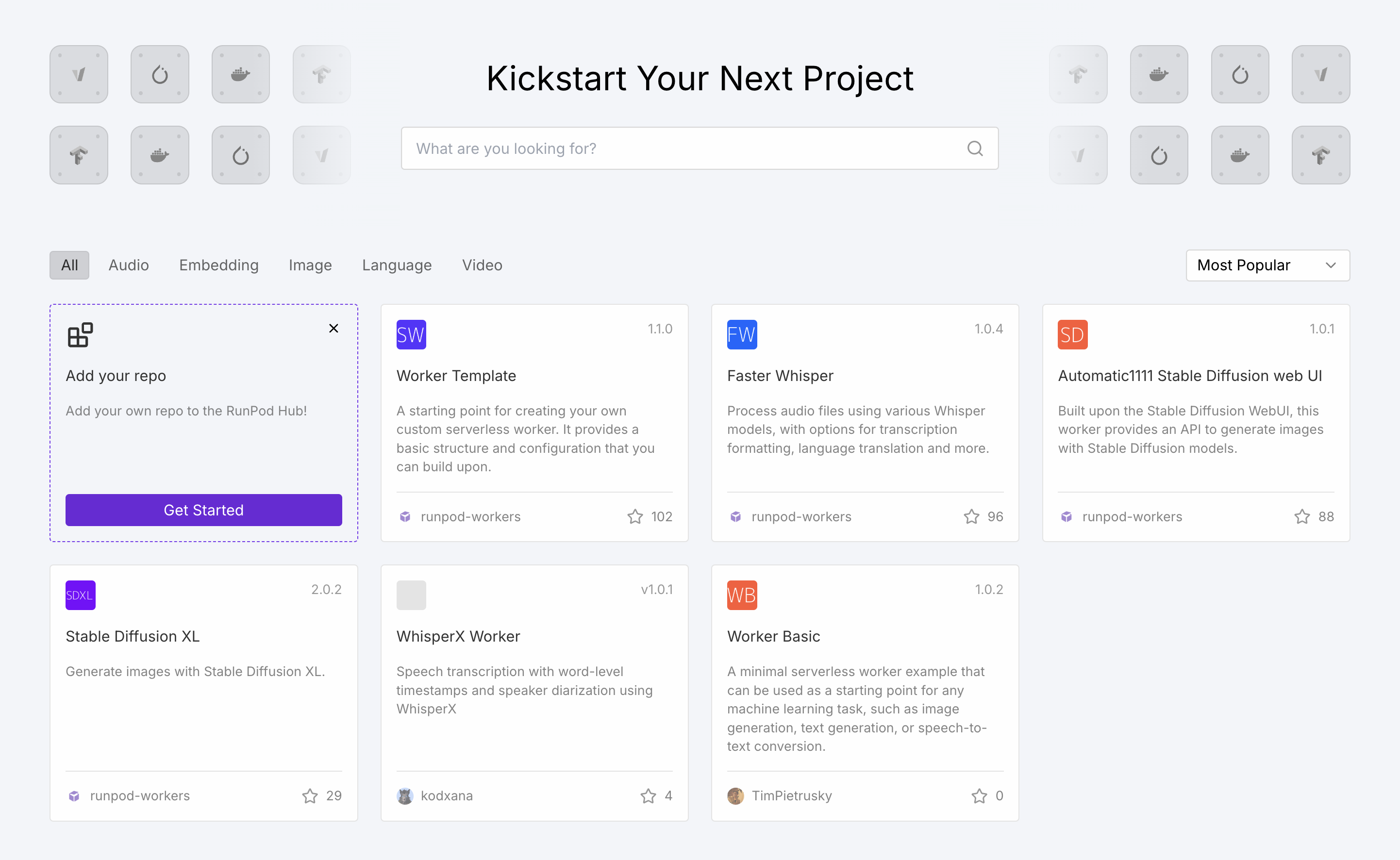
The [Runpod Hub](https://console.runpod.io/hub) is a centralized repository for discovering, sharing, and deploying preconfigured AI repos optimized for and infrastructure.
 ## Why use the Hub?
**For users:**
* **Production-ready solutions**: Vetted, open-source repos with minimal setup required.
* **One-click deployment**: Go from discovery to running services in minutes.
* **Configurable**: Customize parameters without diving into code.
**For creators:**
* **Showcase your work**: Share projects with the AI community.
* **Automated pipeline**: The Hub builds and tests your releases automatically.
* **Earn revenue**: Generate up to 7% of compute revenue when users deploy your repos. See [revenue sharing](/hub/revenue-sharing).
## Public Endpoints
The Hub also offers s for popular AI models. These are ready-to-use APIs with instant access, interactive playgrounds, and usage-based pricing. Browse available models in the [model reference](/public-endpoints/reference).
## Deploy a repo
1. Go to the [Hub](https://www.console.runpod.io/hub) and select a repo.
2. Review hardware requirements and configuration options.
3. Click **Deploy** → **Create Endpoint**.
Your endpoint will be ready for integration within minutes.
1. Go to the [Hub](https://www.console.runpod.io/hub) and select a repo.
2. Click **Deploy**, select **Pod** as the deployment type.
3. Click **Deploy Pod**.
After deployment, find a sample request in the Pod details pane:
```python theme={"theme":{"light":"github-light","dark":"github-dark"}}
import requests
response = requests.post(
'https://POD_ID-80.proxy.runpod.net/v2/LOCAL/run',
headers={
'Content-Type': 'application/json',
'Authorization': 'Bearer YOUR_API_KEY'
},
json={'input': {"prompt": "Your prompt"}}
)
```
## Publish your own repo
Publish your GitHub repository on the Hub by preparing a with a and `Dockerfile`.
New to building Serverless workers? Follow the [quickstart guide](/serverless/quickstart).
1. Add configuration files in a `.runpod` directory per the [publishing guide](/hub/publishing-guide).
2. Create a GitHub release.
3. Submit your repository through the Runpod console.
4. After review and approval, your repo appears in the Hub.
Once published, earn revenue from user deployments. Link your GitHub profile to your Runpod account for verified maintainer status. Revenue tiers range from 1% (100-999 compute hours) to 7% (10,000+ hours), paid monthly as Runpod credits.
## How Hub repos work
1. **Repository integration**: Connects with GitHub repos using releases (not commits) for versioning.
2. **Configuration**: Repos use `hub.json` and `tests.json` in a `.runpod` directory to define metadata and test procedures.
3. **Automated pipeline**: The Hub builds and tests repos on submission and monitors for new releases.
4. **Deployment**: Users browse, customize, and deploy with minimal configuration.
## Why use the Hub?
**For users:**
* **Production-ready solutions**: Vetted, open-source repos with minimal setup required.
* **One-click deployment**: Go from discovery to running services in minutes.
* **Configurable**: Customize parameters without diving into code.
**For creators:**
* **Showcase your work**: Share projects with the AI community.
* **Automated pipeline**: The Hub builds and tests your releases automatically.
* **Earn revenue**: Generate up to 7% of compute revenue when users deploy your repos. See [revenue sharing](/hub/revenue-sharing).
## Public Endpoints
The Hub also offers s for popular AI models. These are ready-to-use APIs with instant access, interactive playgrounds, and usage-based pricing. Browse available models in the [model reference](/public-endpoints/reference).
## Deploy a repo
1. Go to the [Hub](https://www.console.runpod.io/hub) and select a repo.
2. Review hardware requirements and configuration options.
3. Click **Deploy** → **Create Endpoint**.
Your endpoint will be ready for integration within minutes.
1. Go to the [Hub](https://www.console.runpod.io/hub) and select a repo.
2. Click **Deploy**, select **Pod** as the deployment type.
3. Click **Deploy Pod**.
After deployment, find a sample request in the Pod details pane:
```python theme={"theme":{"light":"github-light","dark":"github-dark"}}
import requests
response = requests.post(
'https://POD_ID-80.proxy.runpod.net/v2/LOCAL/run',
headers={
'Content-Type': 'application/json',
'Authorization': 'Bearer YOUR_API_KEY'
},
json={'input': {"prompt": "Your prompt"}}
)
```
## Publish your own repo
Publish your GitHub repository on the Hub by preparing a with a and `Dockerfile`.
New to building Serverless workers? Follow the [quickstart guide](/serverless/quickstart).
1. Add configuration files in a `.runpod` directory per the [publishing guide](/hub/publishing-guide).
2. Create a GitHub release.
3. Submit your repository through the Runpod console.
4. After review and approval, your repo appears in the Hub.
Once published, earn revenue from user deployments. Link your GitHub profile to your Runpod account for verified maintainer status. Revenue tiers range from 1% (100-999 compute hours) to 7% (10,000+ hours), paid monthly as Runpod credits.
## How Hub repos work
1. **Repository integration**: Connects with GitHub repos using releases (not commits) for versioning.
2. **Configuration**: Repos use `hub.json` and `tests.json` in a `.runpod` directory to define metadata and test procedures.
3. **Automated pipeline**: The Hub builds and tests repos on submission and monitors for new releases.
4. **Deployment**: Users browse, customize, and deploy with minimal configuration.